
WCAG 2.2 for Apartment and Multifamily Websites: The New Criteria Mapped to Maps, Floor Plans and Applications
For digital, marketing and compliance leads at multifamily operators, and the web agencies that build their property sites.
WCAG 2.2, published by W3C on October 5, 2023, keeps every WCAG 2.1 criterion except the obsolete 4.1.1 Parsing and adds nine new ones, six at Level A or AA. On apartment websites they hit sticky tour bars and chat bubbles that hide focus, draggable maps and sliders, small gallery controls, repeated application fields and portal logins.
- No US law we checked requires 2.2 for private apartment sites; the DOJ Title II rule for governments names 2.1 AA.
- A site that conforms to 2.2 AA also meets 2.1 AA, so building to 2.2 covers both.
- Axe-core has one rule for the new criteria, target-size, and it is off by default, so 2.2 needs manual testing.
- Map pins are excepted from target size, but price sliders and maps still need a non-drag way to operate them.
- Name WCAG 2.2 AA and the six new criteria in website, application and portal vendor contracts.
This guide is general information, not legal advice. Laws and regulator guidance change; check the current rules for your properties with your counsel before acting.
What WCAG 2.2 adds and removes
W3C published WCAG 2.2 on October 5, 2023. It adds nine success criteria and removes one, 4.1.1 Parsing, which W3C now marks "obsolete and removed" (W3C, What's New in WCAG 2.2). Of the nine new criteria, two are Level A, four are Level AA and three are AAA, so a site targeting AA picks up six new tests.
Nothing else in 2.1 changed. The W3C WCAG FAQ says "Later versions add new success criteria, and do not change existing success criteria" (W3C WCAG FAQ). Existing 2.1 AA work (alt text, labelled fields, contrast, keyboard access) carries over unchanged.
The increment lands on the parts of a property website that are most interactive: sticky tour and chat elements, the community map, the price slider, the gallery and the application. Static pages such as amenities and neighborhood copy mostly pick up the Consistent Help and Target Size checks, plus Focus Not Obscured wherever the site-wide sticky bar or chat launcher appears.
The nine new criteria, mapped to apartment website components
| Criterion | Level | Where it shows up on an apartment site | Typical failure | Passing fix |
|---|---|---|---|---|
| 2.4.11 Focus Not Obscured (Minimum) | AA | Sticky "Schedule a tour" bar, cookie banner, chat bubble, sticky header | Tabbing through the floor plan filters, the focused "Apply" button sits entirely behind a fixed bottom tour bar. | Scroll padding equal to the bar height (W3C technique C43). |
| 2.4.12 Focus Not Obscured (Enhanced) | AAA | Same sticky elements | Any part of the focused control is covered. | No part of the focused control is covered. |
| 2.4.13 Focus Appearance | AAA | Every link and button | A 1px pale outline on a photo background. | A focus indicator at least as large as a 2 CSS pixel thick perimeter of the control, with 3:1 contrast between its focused and unfocused states. |
| 2.5.7 Dragging Movements | AA | Community or unit map, price-range slider, before/after slider, sortable lists | The rent range can only be set by dragging the slider thumbs. | Clickable slider track or min and max fields; map pan buttons. |
| 2.5.8 Target Size (Minimum) | AA | Gallery thumbnails, carousel dots, map zoom controls, custom tour calendar dates | Carousel dots 10px wide and 4px apart. | 24 by 24 CSS pixel targets, or enough spacing. |
| 3.2.6 Consistent Help | A | Phone number, "Contact us", chat widget, FAQ link across a property site | Phone in the header on the home page, in the footer on floor plans, missing from the amenities page header. | Repeated help sits in the same order on every page. |
| 3.3.7 Redundant Entry | A | Multi-step rental application, co-applicant and guarantor steps, tour booking | Step 4 asks the applicant to type the current address entered on step 1 again. | Pre-fill it, or offer a "same as above" option or a selectable value. |
| 3.3.8 Accessible Authentication (Minimum) | AA | Resident portal and applicant account logins, verification codes, CAPTCHAs | The portal password field blocks paste, or a distorted-text CAPTCHA has no alternative. | Allow paste and password-manager autofill, including for codes. |
| 3.3.9 Accessible Authentication (Enhanced) | AAA | Same logins | Object-recognition CAPTCHA with no alternative. | No cognitive function test at all unless an alternative or assistance is offered. |
Level is what W3C assigns. A site conforming at AA must meet every A and AA criterion; AAA rows are listed for completeness and are not usually a contract target.
The six new A and AA criteria on a leasing site, one by one
Each item covers the leasing-site element it hits, what W3C says passes, and a test your team can run.
- 01
2.4.11 Focus Not Obscured: sticky tour bars, cookie banners and chat bubbles
Property sites stack fixed elements: a header, a "Schedule a tour" bar at the bottom, a cookie banner and a chat launcher. A keyboard user tabbing down the page can land on a link that is completely hidden behind them. W3C says a cookie banner "will fail this success criterion if it entirely obscures a component receiving focus" and recommends scroll padding so sticky content does not overlap (Understanding 2.4.11). Content the user opened, such as an expanded chat window, can pass if the user can bring the focused item into view without navigating back to close it, for example with Escape.
Test: tab through the floor plans page with every banner and widget visible. If focus ever disappears completely, it fails.
- 02
2.5.7 Dragging Movements: maps, price sliders and before/after photos
Any feature that only works by press-hold-and-drag needs a single-pointer alternative. W3C's own examples fit leasing sites directly: a map that can be dragged but "has up/down/left/right buttons to move the view as well", and a range slider that allows "tapping or clicking on any point of the slider track" (Understanding 2.5.7). W3C also accepts a text input beside a slider, because the on-screen keyboard touch users get is itself a single-pointer way to enter a value, so min and max rent fields work. A keyboard-only alternative such as arrow keys does not count unless it also offers controls that can be clicked or tapped. The alternative cannot be a swipe, which would fail 2.5.1 Pointer Gestures. Scrolling and dragging the browser itself provides are out of scope.
Illustrative example A rent filter set from $1,400 to $2,600 only by dragging two thumbs fails. The same slider with two number fields labelled "Min rent" and "Max rent" passes.
- 03
2.5.8 Target Size: thumbnails, carousel dots and zoom buttons
Pointer targets must be at least 24 by 24 CSS pixels, or spaced so that a 24px circle centred on each does not intersect another target or the circle of another undersized target (Understanding 2.5.8). Gallery thumbnail strips, carousel dots, close icons on photo lightboxes and map zoom buttons are the usual failures. Two exceptions matter here: W3C treats pins on a digital map as essential, because they must sit at the real location, and a browser's native date input is a user agent control. A custom-built tour calendar with tiny day cells is neither, so it must meet the size or spacing test.
Illustrative example Carousel dots 10px wide with 4px gaps fail: their 24px circles overlap. The same dots with 16px gaps pass on spacing without being resized.
- 04
3.2.6 Consistent Help: phone, contact form and chat placement
If a property site offers help (a phone number, a contact form, a self-help FAQ or a chatbot) on several pages, it must appear in the same order relative to the other page content on each of them. It does not require any help to exist, and it applies within a set of web pages that share a purpose and come from the same author or organization, such as one property's site (Understanding 3.2.6). The common failure is a template mix: the home page puts the phone in the header, while a separately built specials or floor plans page puts it in the footer.
Test: list where help appears on home, floor plans, amenities, gallery and contact pages. The order should match.
- 05
3.3.7 Redundant Entry: co-applicants, guarantors and multi-step applications
Within one process, information the applicant already gave must be pre-filled or selectable, not typed again. W3C's example is a "same as" checkbox for addresses (Understanding 3.3.7). Exceptions cover security (re-typing a new password), essential re-entry and data that is no longer valid. It does not require saving data between sessions, but a process can span domains, so a hand-off from the property site to a third-party application is still in scope. Repeated move-in dates, current addresses and household member names across co-applicant and guarantor steps are the usual failures. More on applications: accessible rental applications.
- 06
3.3.8 Accessible Authentication: resident portals, applicant logins and CAPTCHAs
A login cannot rely on a cognitive function test, such as remembering a password or solving a puzzle, unless there is an alternative or help. In practice: let password managers fill the fields and allow paste. W3C says that if users "are prevented from copy and paste operations" the page fails unless an alternative exists, and one-time codes sent by text or email must be pasteable (Understanding 3.3.8). A CAPTCHA that asks the user to transcribe distorted text fails at AA without an alternative (an audio version that must also be transcribed does not count); recognising objects, such as "select every car", is excepted at AA but not at AAA. The criterion covers logging in, not first-time account creation.
Test: log in to the resident portal using only a password manager, then by pasting. Request a code and paste it.
WCAG 2.1 AA or 2.2 AA: which to target
No US law we checked requires WCAG 2.2 of a private apartment website. The standards that do name a version name older ones:
| Standard | Who it covers | WCAG version named | Source |
|---|---|---|---|
| DOJ ADA Title II web rule (2024) | State and local governments, including their agencies | WCAG 2.1 Level AA | ada.gov fact sheet |
| Section 508 standards | Federal agencies' information and communication technology | WCAG 2.0 Level A and AA (E205.4) | U.S. Access Board |
| DOJ web guidance (March 18, 2022) | Businesses open to the public (ada.gov notes its government content predates the 2024 rule) | None mandated; WCAG described as "helpful guidance" | ada.gov web guidance |
DOJ's 2022 guidance says businesses and governments "have flexibility in how they comply with the ADA's general requirements of nondiscrimination and effective communication" and calls WCAG "helpful guidance". What that means for a private housing provider's website is covered in the ADA website compliance guide for apartments.
Our recommendation
Build and buy to 2.2 AA; report against 2.1 AA as well. The WCAG 2.2 Recommendation states that "Content that conforms to WCAG 2.2 also conforms to WCAG 2.0 and WCAG 2.1" (W3C, WCAG 2.2). One caveat from the same document: authors required by policy to conform to 2.0 or 2.1 "may need to continue to test and report 4.1.1", so a public-sector partner whose rules name 2.0 or 2.1 can still ask for Parsing results. Targeting 2.1 only leaves the six new A and AA tests unchecked on the components prospects use to tour and apply. Budget for manual testing: a scanner score will barely move.
4.1.1 Parsing is gone: what it means for old audit reports
4.1.1 required well-formed markup (no duplicate IDs, properly nested elements). W3C's FAQ now says it "should be considered as always satisfied for any content using HTML or XML" (W3C WCAG FAQ). Deque, which maintains the axe-core testing engine, explains the reason: HTML5 standardised how browsers handle invalid markup, and duplicate IDs are "an indicator of an accessibility problem" rather than a barrier in themselves. Axe-core deprecated its duplicate-id rule and reports duplicate ARIA IDs under 4.1.2 Name, Role, Value instead (Deque).
- Old audit reports. A 2022 audit listing dozens of 4.1.1 failures on a property site is not a list of barriers. Re-test those items: the real ones (a label pointing at a duplicated ID, so a field has no name) now fail 4.1.2 or 1.3.1.
- Vendor conformance reports (ACRs). A report that rates nothing from 2.4.11 to 3.3.9 was written to 2.0 or 2.1. One that still rates 4.1.1 may be either, since W3C lets 2.2 reports keep it for policies that name older versions. Ask which version it covers and when it was tested.
- Remediation backlogs. Close out pure markup-validity tickets so developer time goes to the new 2.2 criteria.
Which 2.2 criteria a scanner can flag and which need a person
Deque's open-source axe-core engine has one rule for the new criteria, target-size, and its documentation says the WCAG 2.2 rules "are disabled by default, until WCAG 2.2 is more widely adopted and required" (axe-core rule descriptions, version 4.14 docs). Its documentation lists no rule for 2.4.11, 2.5.7, 3.2.6, 3.3.7 or 3.3.8. A clean automated report therefore says almost nothing about 2.2.
| Criterion | axe-core rule | What a person must judge |
|---|---|---|
| 2.4.11 Focus Not Obscured | None | Whether sticky bars, banners and chat hide focus |
| 2.5.7 Dragging Movements | None | Whether maps and sliders work with clicks only |
| 2.5.8 Target Size | target-size, off by default | Whether flagged items fall under the spacing or essential exceptions |
| 3.2.6 Consistent Help | None | Help order across page templates |
| 3.3.7 Redundant Entry | None | Repeated questions across application steps |
| 3.3.8 Accessible Authentication | None | Paste and password-manager support at login |
For the full 2.1 AA page-by-page checks, use the apartment website accessibility checklist. An overlay script does not change any of these results; see accessibility overlays on apartment websites.
How to test one property site against the six new A and AA criteria
Run this on one property per website template before you change your contract target. The steps use a keyboard, a mouse and a password manager; no paid tool is needed.
Time needed: 2 hours
- 1
Pick the pages and flows
Choose the home, floor plans, gallery, map, contact and specials pages, plus the tour scheduler, application and resident login.
- 2
Tab with every overlay showing
Accept nothing on the cookie banner, open the chat launcher and keep the sticky tour bar visible. Tab through each page and note any point where the focused item is completely hidden (2.4.11).
- 3
Use drag controls with clicks only
Set the rent range, move the map and use any before/after or sortable control without dragging. Note any that cannot be operated (2.5.7).
- 4
Measure small targets
Enable the axe-core target-size rule or measure in browser developer tools. Check thumbnails, carousel dots, lightbox close buttons and custom calendar days against the 24px size or spacing test (2.5.8).
- 5
Compare help placement
Record the order of phone, contact, chat and FAQ links on each page and flag any page where the order differs (3.2.6).
- 6
Apply with a co-applicant and guarantor
Complete the application end to end with test data and list every question asked twice without pre-fill or a select option (3.3.7).
- 7
Log in the hard way
Sign in to the portal with a password manager, then by pasting, then paste a one-time code. Note any CAPTCHA without an alternative (3.3.8).
- 8
Log findings by vendor
Assign each failure to the vendor that owns the component, with the criterion number, so it can go into the contract review.
Contract wording for your website and application vendors
Most property websites, tour schedulers, applications and portals are built and hosted by vendors. Put the target in writing at signing or renewal. A starting point for counsel to adapt:
Vendor shall design, build and maintain the Services, including third-party components it embeds (maps, scheduling, chat, application and resident login), to conform to WCAG 2.2 Level AA. Vendor shall deliver a conformance report naming the WCAG version, the pages and flows tested and the test methods, including manual testing of Success Criteria 2.4.11, 2.5.7, 2.5.8, 3.2.6, 3.3.7 and 3.3.8, at launch and at least annually. Vendor shall remediate reported nonconformance within an agreed period and re-test.
Naming embedded components covers the apply flow on another domain; naming the six criteria stops a 2.1 report being relabelled; requiring the method stops a scanner score passing as conformance. This is sample wording, not legal advice.
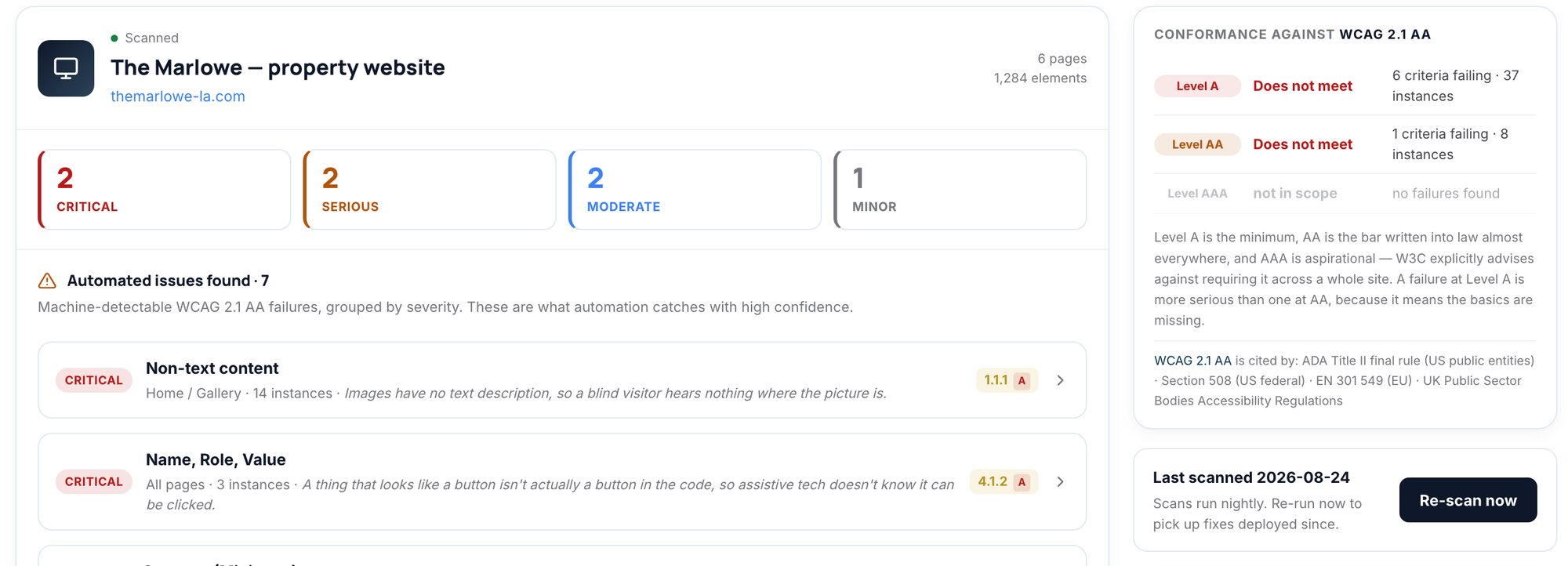
Compliance360 Web Accessibility scans each property's key pages and application flow against WCAG 2.1 AA by default, and can scan against 2.2 AA, Level A only or AAA, so you can see what moving the target from 2.1 to 2.2 adds across a portfolio. Each finding carries its success criterion, location and a fix, and a manual review checklist covers what automation cannot judge. It supports your team's review and does not replace legal advice. See Web Accessibility or the full Compliance360 suite.
Frequently asked questions
No US law we checked requires 2.2 for a private apartment website; the DOJ Title II rule for state and local governments names 2.1 AA. Because 2.2 AA includes every 2.1 AA criterion except the obsolete Parsing rule, building and contracting to 2.2 AA covers both.
W3C added nine success criteria and removed 4.1.1 Parsing; nothing else in 2.1 changed. Two new criteria are Level A (3.2.6 Consistent Help, 3.3.7 Redundant Entry) and four are AA (2.4.11 Focus Not Obscured, 2.5.7 Dragging Movements, 2.5.8 Target Size, 3.3.8 Accessible Authentication). The other three are AAA.
Yes. The WCAG 2.2 Recommendation states that content conforming to 2.2 also conforms to 2.0 and 2.1, and W3C treats 4.1.1 Parsing as always satisfied for HTML content. If a contract or policy names 2.0 or 2.1, W3C notes you may still need to test and report 4.1.1.
Yes, if moving the map or selecting units requires dragging. W3C's example of a passing map provides pan buttons alongside drag. Browser scrolling is out of scope, and map pins themselves fall under the essential exception for target size.
A text or puzzle CAPTCHA with no alternative fails 3.3.8 at Level AA. Object-recognition CAPTCHAs are excepted at AA but not at AAA. Blocking paste or password managers on the login fields also fails.
W3C says HTML and browsers now handle parsing errors consistently, and assistive technology relies on the browser rather than parsing markup itself. It treats Parsing as always satisfied for HTML and XML content. Issues it used to catch, such as duplicated IDs that break labels, now fail 1.3.1 Info and Relationships or 4.1.2 Name, Role, Value.
Not on its own. Axe-core has one rule for the new criteria, target-size, and it is off by default. The other five new A and AA criteria need a person to test them.
How we checked this
Written by the Brynson Research Team and checked against the primary sources below. Each source shows the date we last read it. We update this page when the rules change; see the change log.
- What's New in WCAG 2.2, W3C Web Accessibility Initiative, 2023-10-05. Accessed 2026-10-22.
- Web Content Accessibility Guidelines (WCAG) 2.2, W3C Recommendation, W3C, 2023-10-05. Accessed 2026-10-22.
- WCAG 2 FAQ, W3C Web Accessibility Initiative. Accessed 2026-10-22.
- Understanding SC 2.4.11 Focus Not Obscured (Minimum), W3C. Accessed 2026-10-22.
- Understanding SC 2.5.7 Dragging Movements, W3C. Accessed 2026-10-22.
- Understanding SC 2.5.8 Target Size (Minimum), W3C. Accessed 2026-10-22.
- Understanding SC 3.2.6 Consistent Help, W3C. Accessed 2026-10-22.
- Understanding SC 3.3.7 Redundant Entry, W3C. Accessed 2026-10-22.
- Understanding SC 3.3.8 Accessible Authentication (Minimum), W3C. Accessed 2026-10-22.
- Fact Sheet: New Rule on the Accessibility of Web Content and Mobile Apps Provided by State and Local Governments, U.S. Department of Justice, ADA.gov, 2024-04-08. Accessed 2026-10-22.
- Guidance on Web Accessibility and the ADA, U.S. Department of Justice, ADA.gov, 2022-03-18. Accessed 2026-10-22.
- ICT Accessibility 508 Standards and 255 Guidelines (E205.4, 702.10.1), U.S. Access Board. Accessed 2026-10-22.
- WCAG 2.2 removes 4.1.1 Parsing and how axe-core is impacted, Deque Systems (Wilco Fiers), 2023-06-21. Accessed 2026-10-22.
- axe-core rule descriptions (4.14 docs, develop branch), Deque Systems (GitHub). Accessed 2026-10-22.
Change log
- First published.
This guide is general information, not legal advice. Laws and regulator guidance change; check the current rules for your properties with your counsel before acting.