FrameCheck fingerprints every listing photo, retrieves the original from your own archive, registers the two and shows exactly which region changed. It reads what’s in the frame, from people to phone numbers on signage, and a person makes the call, on the record.
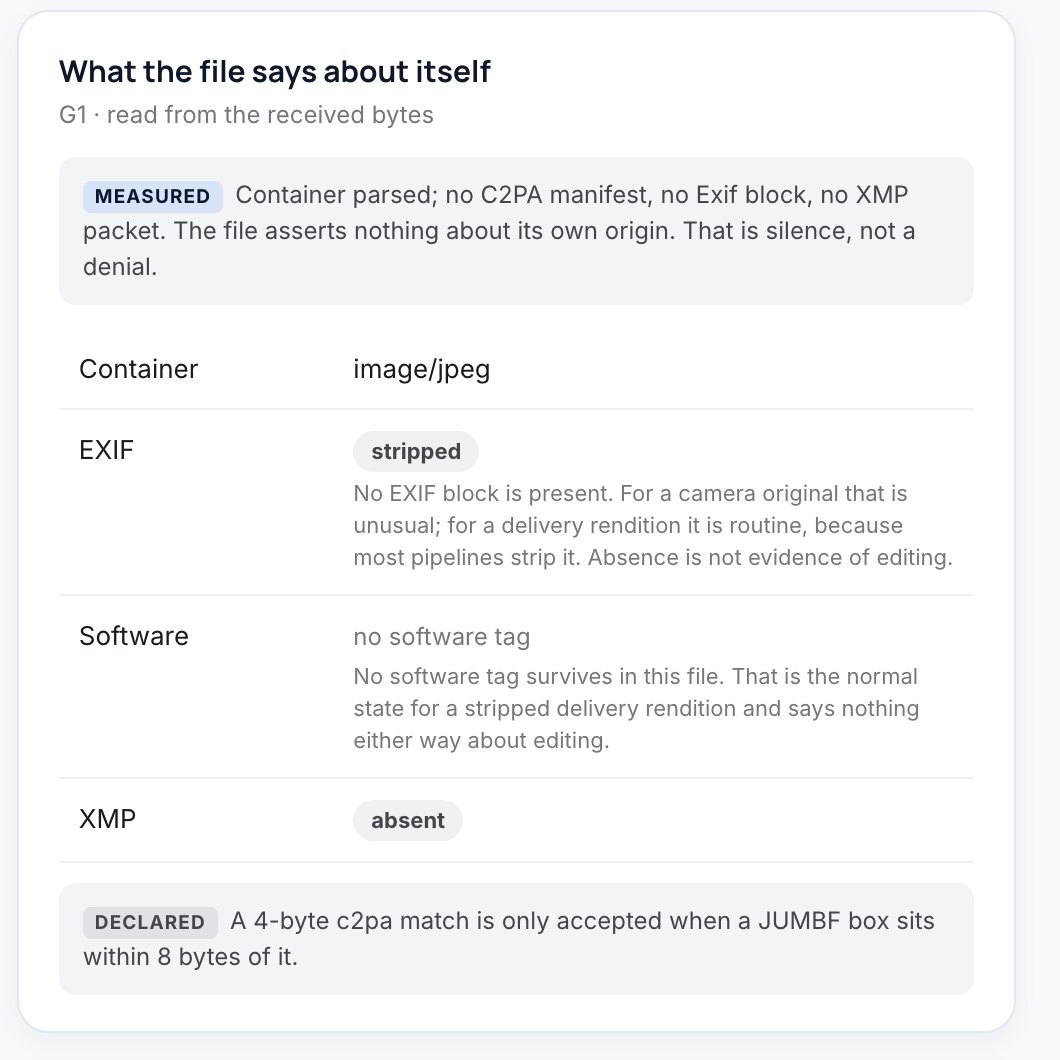
Every image gets a SHA-256 hash and a perceptual fingerprint, and its embedded provenance (C2PA, EXIF, XMP) is read.
The original is found in your own archive, even after a crop or re-encode, and the two images are registered.
The changed region is located and shown as onion skin, split, difference and forensic views, and a vision model names what changed.
A reviewer records a determination, from no material change to material misrepresentation, and the record locks with their name.
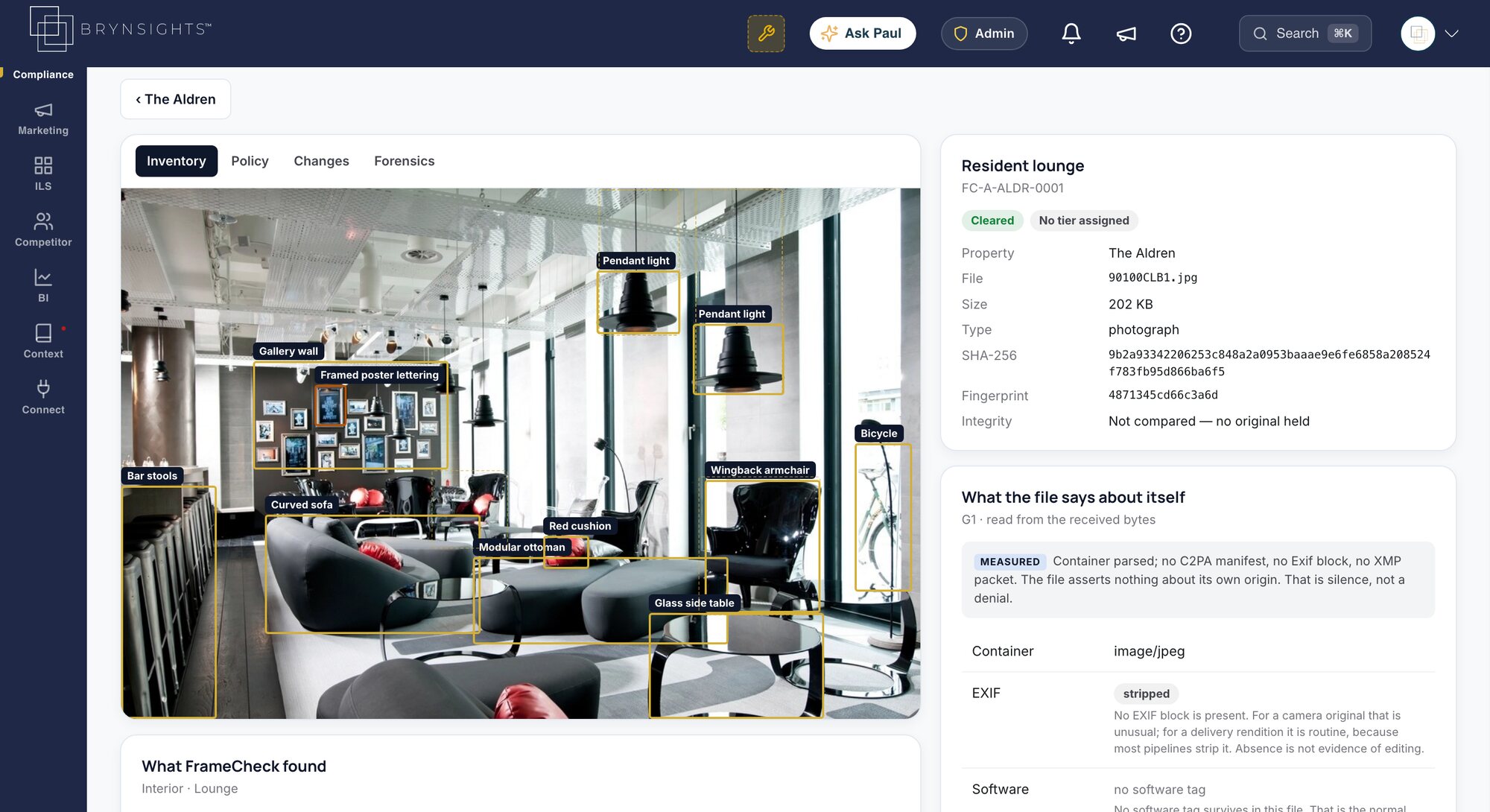
Objects, text and people located in every photo, each marked as observed by a person or proposed by a model.
Retrieves the source image and shows exactly which pixels changed.
People visible, phone numbers in signage and possible virtual staging, set to allow, warn or block.
C2PA manifests, EXIF and XMP read from the file, with silence reported as silence, not a denial.
Where each image has been published, from your website to the ILS.
A keyboard-driven review queue, worst first, with determinations, tiers and notes on the record.
FrameCheck isn’t only a compliance tool. The same finding protects revenue, brand and renters’ trust.
See it on your portfolioKnow which images are original, which are edited and which need a disclosure.
Every determination recorded with the evidence and the reviewer.
Retouching is fine. Adding what isn’t there isn’t, and FrameCheck shows the difference.
Each claim carries its evidence class, so nothing reads stronger than it is.
A detector returns a probability with no original to compare against and no explanation of what changed.
FrameCheck guards the imagery behind every other Compliance360 surface. Fair Housing reviews what the photos represent, SiteArchiver records which image a page showed on a given date, and every determination sits in the same audit trail as the property’s fee and listing findings.
FrameCheck shares your properties, jurisdictions and audit trail with five more services. See the whole suite.
Jurisdiction-aware language analysis across listings, websites, paid social and Google, including the portfolio-wide “blast radius” of a single phrase.
Daily audits of advertised vs. total price. Flags mandatory fees missing from the headline number before the FTC or your state AG does.
Catches the moment a listing on Apartments.com, Zillow or Apartment List drifts from what your PMS says: rent, beds, fees, amenities.
WCAG scanning of key pages and the application flow: every element that needs adjusting to meet your required level, where it is and how to fix it.
Point-in-time captures of what a consumer actually saw: replayable, hash-chained, and ready to flag for legal hold.
It acts as the source of truth for every image used to represent a property. It fingerprints each photo, retrieves the original from your own archive, registers the two images, shows exactly what changed, reads text and people in the frame, and records a reviewer’s decision.
No. Absence of a detected change is not evidence of absence, so FrameCheck never certifies an image as unaltered. It shows its evidence and the class of each claim, and a person decides.
Yes. It flags possible virtual staging and located edits so your team can decide whether an image needs a disclosure, and records that decision with the evidence.
Objects, text and people, with their locations. Policy signals include people visible, phone numbers read from signage and possible virtual staging, each set to allow, warn or block.
From your own image archive or DAM. FrameCheck registers each published image against its original, so it can find the source even after a crop or re-encode.
We’ll run it on a live property and walk you through what it finds, and what the rest of Compliance360 adds.