
How to Tell If Apartment Listing Photos Are AI Generated or Virtually Staged: Tools Compared for Multifamily Teams
For marketing, creative and compliance leads who approve listing photos at multifamily operators.
There are two ways to check an apartment listing photo. AI detectors such as Hive and Sightengine return a probability that an image is synthetic. Comparison tools register the published photo against your original and show what changed. Disclosure rules ask what changed, so multifamily teams need the original on file, not only a score.
- California's AB 723 and CRMLS Rule 11.5.2 both turn on two things: a label on the altered image and the unaltered version (or, under AB 723, a link to it) close by.
- Detection scores answer whether an image looks synthetic, which misses the common multifamily case of real photos with added furniture.
- C2PA Content Credentials are decisive when present, but the C2PA's own explainer says provenance can be stripped and that files without credentials should not be treated as less trustworthy.
- Registration against an original only works when that original is in your own archive, so the archive is the first thing to fix.
- Whatever the tool, a named person should decide each flagged photo and the decision should be kept with its evidence.
This guide is general information, not legal advice. Laws and regulator guidance change; check the current rules for your properties with your counsel before acting.
Why "is it AI?" is the wrong question for apartment listing photos
Most altered apartment photos are not generated from scratch. They are real photos of a real unit with something added or removed: a sofa composited into an empty living room, a greener lawn, a power line erased. A whole-image detector separates synthetic images from camera images, so a real photo with one inserted object can score as authentic.
We saw this in our own testing while building FrameCheck: a whole-image detector scored a virtually staged interior as almost certainly real, and the same AI-edited exterior scored very differently after one re-save. A score says how synthetic the pixels look, not what changed in the property.
The rules ask a narrower and more useful question. California's AB 723, in the version the Senate Judiciary Committee analysed, defines a digitally altered image as one changed "to add, remove, or change elements of the real property in the image" and excludes lighting, white balance, cropping and other common adjustments that "do not change the condition of the real property" (Senate Judiciary Committee analysis). Answering that needs the before and the after, so the original matters more than the detector.
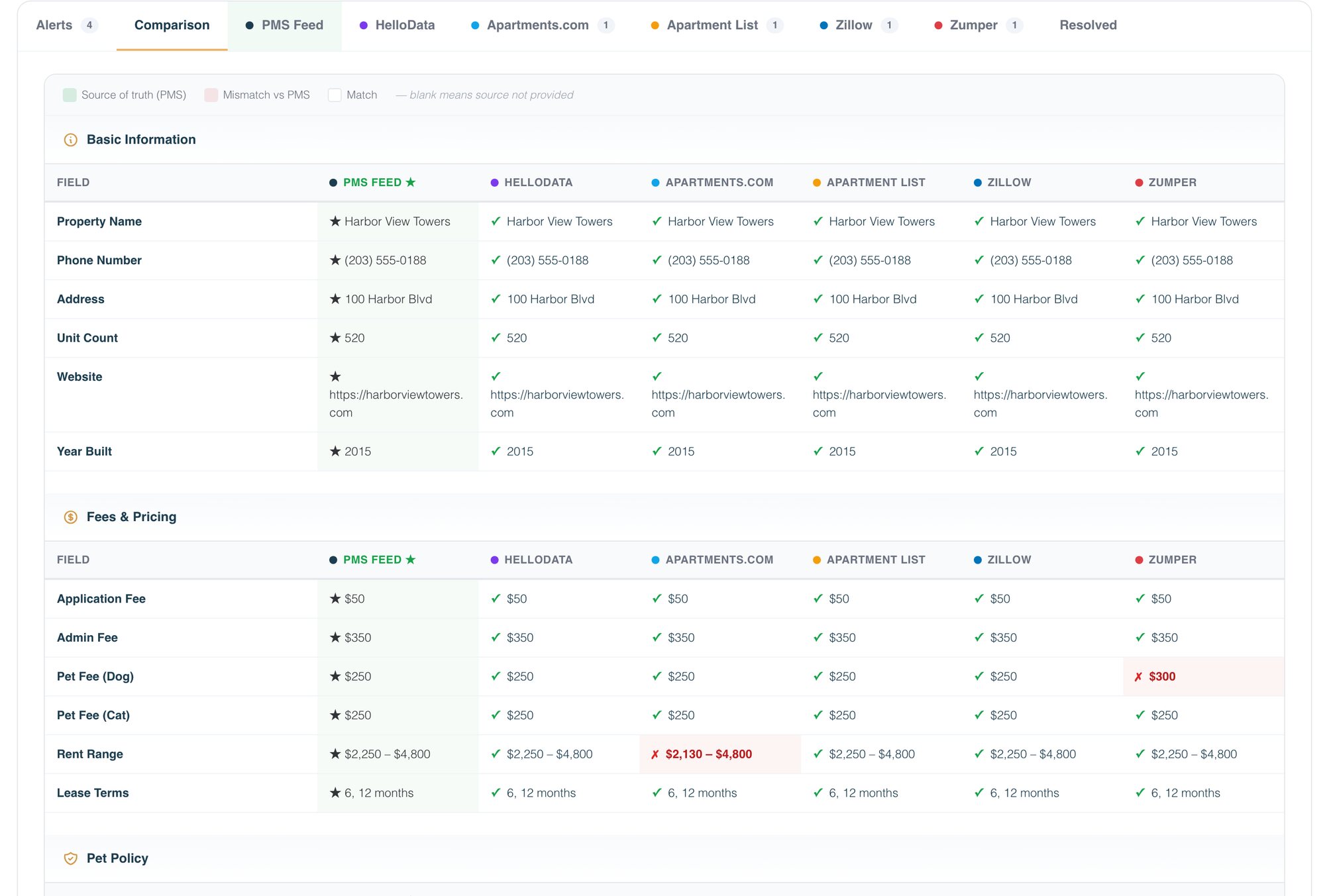
In Brynson's analysis of 6,000 properties and 1.6M units, about 89% of communities described themselves differently across listing sites. A photo of an amenity that no longer exists is the same drift, harder to spot.
What the photo rules actually ask a multifamily team to produce
Three texts set the working definition. All ask for a label, two ask for the original, none asks for a score.
| Rule | Who it binds | Label | Original | Edits excluded | Source |
|---|---|---|---|---|---|
| California AB 723 (2025) | Real estate brokers and salespersons, or a person acting on their behalf | Reasonably conspicuous, on or adjacent to the image | Unaltered version or a link to it, on websites the licensee controls | Lighting, sharpening, white balance, color correction, angle, straightening, cropping, exposure | Senate Judiciary analysis of the July 2, 2025 version |
| CRMLS Rule 11.5.2 | MLS subscribers | "Photo Modified", "Virtually Staged", "Digitally Altered", "AI Altered" or similar, in the photo's text field | Displayed immediately before or after the altered image | Slight lighting, color, cropping and similar edits; real property elements (flooring, walls, cabinetry, landscape) may not be altered unless the property will be improved to match by close | CRMLS FAQ, February 13, 2026 |
| Wisconsin, Wis. Stat. 452.136(1m) (2025 Wis. Act 69), effective January 1, 2027 | Licensees | Disclose in all advertising when technology, including AI, was used to add, remove or change elements of the property in a way that creates a false or misleading impression | Not required by the text | No exclusion list; the duty covers changes that create a false or misleading impression of the property | 2025 Wis. Act 69 |
Whether these reach a given operator depends on who publishes the photo; the AB 723 guide for apartment rentals covers the rental question and the virtual staging disclosure tracker covers pending bills that name landlords directly.
Six tools for checking apartment listing photos, and when each is enough on its own
Grouped by approach. Each line was checked on the vendor's own site on October 22, 2026.
- 01
Compliance360 FrameCheck: compare against the original
FrameCheck fingerprints each image (SHA-256 plus a perceptual fingerprint), reads C2PA, EXIF and XMP, retrieves the original from your own archive even after a crop or re-encode, and shows the changed region in onion skin, split, difference and forensic views. It flags people in frame, phone numbers on signage and possible virtual staging, and a reviewer's decision locks with their name. It needs your originals in your archive or DAM; without them it can read provenance and signals but cannot show what changed. Enough on its own when your goal is a disclosure decision on file for every published photo.
- 02
Hive AI-Generated Content Detection: a synthetic score
Hive returns confidence scores for whether an image or video is AI generated and the likely generative engine. It needs no original, so it suits screening images you hold no source for. Enough on its own when the question really is "was this whole image generated?", which is rare for a real unit photo.
- 03
Sightengine AI image detection: a score and a class
Sightengine returns a likelihood score, a class such as "Likely AI-generated" or "Uncertain", and the generator type (diffusion, GAN, other). It reads pixels, not metadata, and its own page says results should be combined with human judgment. Enough on its own as a developer-friendly screening API.
- 04
Content Credentials Verify: read what the file declares
The Content Authenticity Initiative points to Verify, an inspection site for C2PA Content Credentials, which can show who produced a file, when, and which tools and editing processes they used. A signed manifest saying a generative AI tool created the image is close to decisive. Enough on its own only when your photographers and tools write credentials and every step of your pipeline keeps them.
- 05
Truepic: a trusted original at capture
Truepic captures photos and video with verified time, date, device and location and flags signs of manipulation for review. Its listed use cases include insurance claims, business and construction lending, and property inspections for home lending and servicing. Enough on its own for field photos such as move-in condition or maintenance evidence; it does not check marketing photos already edited and syndicated.
- 06
Cotality Listing Data Checker: MLS policy checks
Listing Data Checker is built for MLSs and their staff, agents and brokers. It scans listing photos for people, branding, phone numbers, email addresses and license plates, and checks listing data for prohibited contact details and Fair Housing issues. Useful where your communities list in an MLS; it finds policy violations, not alterations.
Comparison table: what each approach needs and what it gives you
Vendor lines checked on each vendor's own site on October 22, 2026; re-check before you buy.
| Tool | Approach | Input it needs | Output | Needs your original? | Locates the change? | Records a decision? | Built for multifamily? |
|---|---|---|---|---|---|---|---|
| Compliance360 FrameCheck | Registration against the original, plus provenance and policy signals | Published image and your archive | Changed region in onion skin, split, difference and forensic views | Yes | Yes | Yes, locked with the reviewer's name | Yes |
| Hive AI-Generated Content Detection | Detection score | The image | Confidence score and likely generative engine | No | Not described on its product page | No | No |
| Sightengine AI image detection | Detection score | The image | Likelihood score, a class such as "Likely AI-generated" or "Uncertain", generator type | No | Not described on its product page | No | No |
| Content Credentials Verify | Provenance (C2PA) | A file that still carries credentials | The signed creation and edit history, if present | No | No, it reports declared edits | No | No |
| Truepic | Authenticated capture | Photos taken through its capture flow | Verified time, date, device and location, with manipulation signs flagged | It creates a trusted original | Flags signs for review | Inside its inspection workflow | No; built for inspections, lending and insurance |
| Cotality Listing Data Checker | MLS policy checker | MLS listing records | Violations such as people, branding, phone numbers, emails and license plates in photos | No | Finds prohibited content, not edits | Notifies agents | No; built for MLSs, their staff, agents and brokers |
Read the "needs your original" column first: only that category can say what changed.
How to check listing photos at scale: a five-step workflow
A workflow a multifamily marketing team can run before photos go out and on a schedule after they are live.
- 1
Keep the originals
Require photographers and editing vendors to deliver the unedited file alongside every edited one, and store both in one archive or DAM keyed by property. Comparison is impossible without this step.
- 2
Check before publishing
Compare each edited photo against its original and record what changed. Treat tonal edits as accepted and anything that adds, removes or changes the property as needing a decision.
- 3
Decide and label
A named reviewer decides each flagged photo: accept, label and show the original, or remove. Use the label wording in your photo policy, such as "Virtually staged", on or next to the image.
- 4
Check what is live
On a schedule, pull the photos actually published on your website and ILS listings and compare them with the approved set. Syndication, vendor swaps and old galleries reintroduce photos you already removed.
- 5
Keep the record
Store each decision with the compared images, the reviewer and the date, and keep a capture of the page that showed the photo. That record is what you hand counsel when a renter says the unit did not match.
What no tool can tell you
Put these in your photo policy so nobody reads a result as stronger than it is.
- No detected change is not proof of no change. A comparison tool can only compare against the original it finds, which is why FrameCheck never states that an image is unaltered.
- Provenance is fragile. The C2PA explainer confirms credentials can be stripped, which is why the standard pairs them with watermarks and fingerprints. In our testing, a signed manifest from a generative AI tool was gone after one re-export.
- Missing credentials mean nothing either way. The C2PA explainer says provenance is optional and that "provenance information alone cannot tell you whether the digital content is true, accurate or factual."
- Edited is not the same as misrepresented. Most listing photos have exposure, white balance and lens correction applied. The rules exclude those. Only a person can decide that an added rug is disclosable staging while an added kitchen island misrepresents the unit.
Worked example: one flagged photo, start to finish
A 300-unit community publishes a new 42-photo gallery to its website and ILS listings.
- Detector only: 41 photos score "not likely AI" and one aerial scores "uncertain". Nobody knows what changed.
- Against the original: 39 photos match their originals with only tonal edits. Two living-room shots show a composited sofa and rug (virtual staging). One kitchen shot shows an under-cabinet light that the unit does not have.
- Decision: the reviewer marks the two staged shots "label and show original" and the kitchen shot "material change: remove". Each decision is recorded with the reviewer's name and the compared images.
The detector would not have found the kitchen light, the photo most likely to draw a move-in complaint.
Scale is the reason to automate. A portfolio of 200 communities with 40 photos each, on a website and four ILSs, is 40,000 published appearances of 8,000 images, before anyone reshoots.
Brynson's listing data shows why a one-time check is not enough: although 97% of listings had been updated within the previous 90 days, conflicting mandatory fees, missing amenities and contradictory terms persisted.
Screening images you have no original for
A detection API such as Hive or Sightengine, read as a signal, not a verdict.
Field and condition photos
Truepic for authenticated capture at the source.
Communities listed in an MLS
Your MLS's own checker, such as Cotality Listing Data Checker where the MLS runs it, for policy violations in photos.
Checking a single file's declared history
Content Credentials Verify, for files that still carry C2PA credentials.
Frequently asked questions
Compare it with the unedited original from your photographer and look at what was added, removed or changed. Without the original, look for furniture without contact shadows and reflective surfaces that reflect nothing, and treat any detection score as a signal only.
Not on their own. They estimate whether an image looks synthetic, while disclosure rules such as AB 723 ask whether elements of the property were added, removed or changed. A real photo with composited furniture can score as authentic, so treat a score as one signal and keep the decision with a person.
C2PA is the open standard behind Content Credentials, a signed record of who made a file and how it was edited. One re-export can strip it, so photos that pass through editing and syndication may arrive without it. The C2PA explainer says files without credentials should not be treated as less trustworthy for that alone.
Yes, in practice. California's AB 723 and CRMLS Rule 11.5.2 both expect the unaltered version to be shown or linked (AB 723 on websites the licensee controls), and a comparison tool can only locate a change against an original it can retrieve. Make delivery of unedited files a term in every photography and editing contract.
Have a named reviewer decide whether it is a routine adjustment, a disclosable edit such as virtual staging, or a material change to the property. Label disclosable edits and show the original, remove material changes everywhere the photo is published, and record the decision.
How we checked this
Written by the Brynson Research Team and checked against the primary sources below. Each source shows the date we last read it. We update this page when the rules change; see the change log.
- AB 723 (Pellerin), Senate Judiciary Committee analysis of the July 2, 2025 version, California Senate Judiciary Committee, July 15, 2025. Accessed 2026-10-22.
- Digitally Altered Images (New Rule 11.5.2) FAQs, CRMLS, February 13, 2026. Accessed 2026-10-22.
- 2025 Wisconsin Act 69, Wisconsin State Legislature, 2025. Accessed 2026-10-22.
- C2PA Explainer, version 2.2, Coalition for Content Provenance and Authenticity. Accessed 2026-10-22.
- How it works: Content Credentials, Content Authenticity Initiative. Accessed 2026-10-22.
- AI-Generated Content Detection, Hive. Accessed 2026-10-22.
- Detect AI-generated images, Sightengine. Accessed 2026-10-22.
- Truepic, Truepic. Accessed 2026-10-22.
- Listing Data Checker, Cotality. Accessed 2026-10-22.
Change log
- First published.
This guide is general information, not legal advice. Laws and regulator guidance change; check the current rules for your properties with your counsel before acting.